
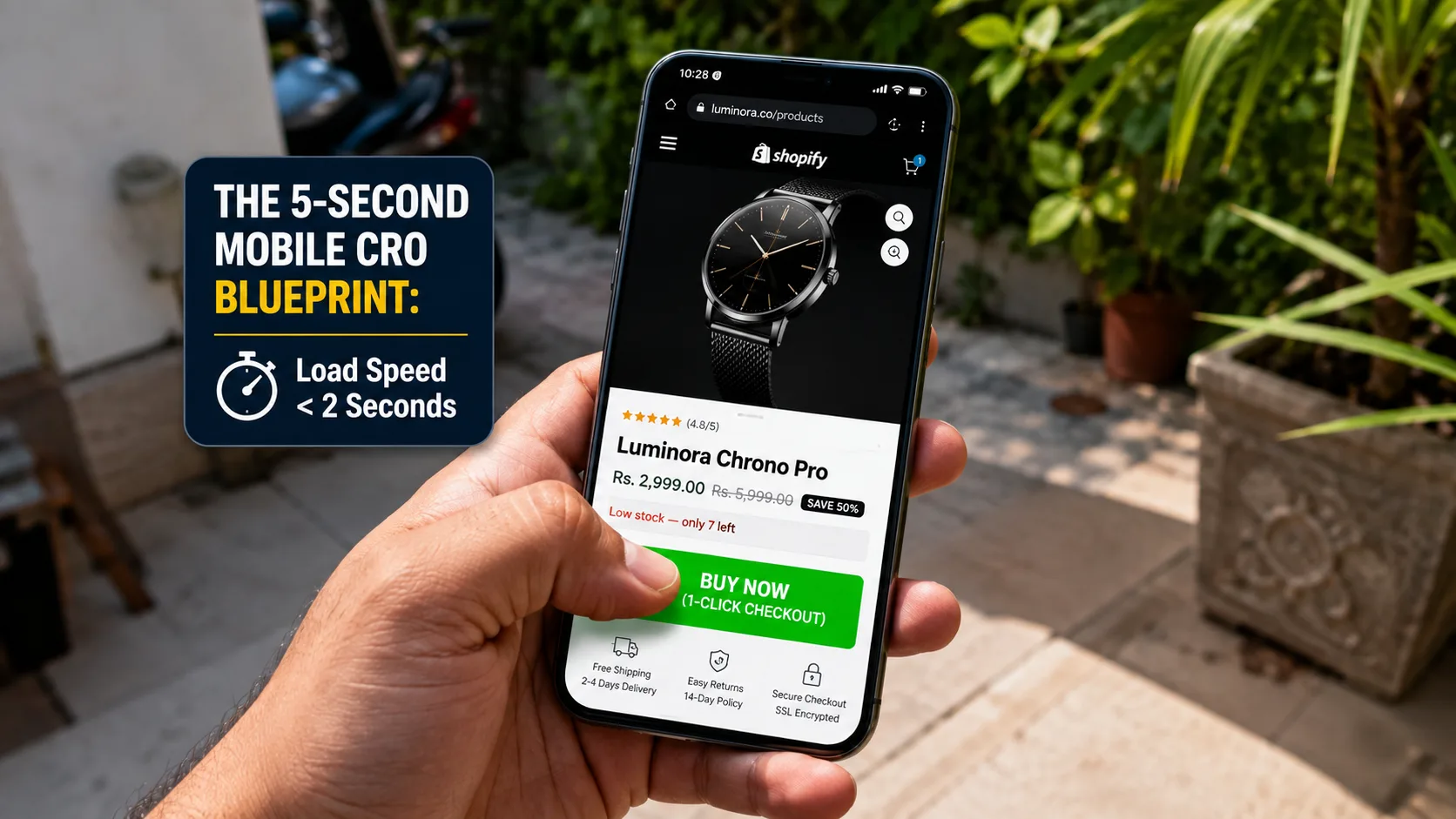
Over 85% of paid D2C ad traffic from Meta, Instagram Reels, and TikTok lands on smartphones. Yet, most Shopify store owners still design their product landing pages on desktop computers without considering the mobile viewport experience.
If your mobile store takes longer than 3 seconds to render or features a cluttered above-the-fold view, prospective buyers will bounce before they ever read your copy or see your product quality.
Mobile Conversion Rate Optimization (CRO) isn't about adding flashier graphics; it is about relentless friction removal, thumb-friendly UI navigation, and fast page load speeds.
Here is the exact mobile CRO blueprint we use to optimize Shopify product landing pages for maximum checkout conversions.
1. The 5-Second Mobile Above-the-Fold Viewport Wireframe
When a user taps your ad, the opening viewport on their smartphone screen decides whether they stay or bounce. These 5 critical conversion elements must fit seamlessly above the fold without requiring a single scroll gesture:
⚡ Auto-Generate Mobile High-Converting Copy
Looking to optimize your landing page copy or email sequences? Use our Agency-Grade Shopify Prompt Generator inside the Shopify & D2C Brands Hub to create full sales page copy instantly!
2. The Power of the Sticky Bottom Checkout Bar
As shoppers scroll down to examine material details, customer reviews, or FAQs, the main buying button vanishes from their screen. Forcing users to scroll all the way back to the top creates unnecessary friction.
❌ Without Sticky Bar (Higher Drop-offs)
User reads reviews at the bottom of the page ➔ Wants to buy ➔ Must scroll up through 4 sections ➔ Loses focus or gets interrupted ➔ Bounces without purchasing.
✅ With Sticky Bottom Bar (Maximum CRO)
A persistent bottom bar displays product thumbnail, price, and a high-contrast "Buy Now" button visible at all times ➔ Direct 1-click checkout conversion.
✍️ Need Shopify Product Descriptions That Convert?
Don't write your product listings from scratch! Access our Shopify Copy Prompts inside the AI Vault to write PAS-R structured product copy in under 2 minutes!
3. Speed Optimization: Cutting Mobile Page Load Time Under 2 Seconds
Every 1-second delay in mobile page load speed reduces conversion rates by up to 20%. Apply these 3 non-negotiable speed fixes to your Shopify store:
- Convert All Image Assets to WebP: Convert heavy PNG/JPEG images into compressed WebP formats and keep image file sizes strictly under 150KB.
- Lazy Load Below-the-Fold Assets: Defer loading review widgets, video embeds, and Instagram feed apps until the user physically scrolls down to those sections.
- Clean Leftover Shopify App Scripts: Uninstall unused apps and remove residual JavaScript snippet tags from your
theme.liquidfile.
⚠️ The Mobile App Bloat Mistake
Installing 15 different Shopify apps for pop-ups, spin wheels, and countdown timers creates script bloat that slows down mobile site speed significantly. Every third-party app script adds external HTTP requests that delay rendering.
The Solution: Limit active third-party apps to 5 or fewer core tools on your main product page templates.
Actionable Summary for Shopify Merchants
Building a high-converting mobile Shopify landing page comes down to speed, simplicity, and visual hierarchy. Keep your key value propositions above the fold, implement a persistent sticky checkout button, and compress images to keep load times under 2 seconds.
🚀 Scale Your Shopify Store Sales
Looking to generate high-converting landing page copy, email flows, or video ad hooks? Open our Shopify & D2C Brands Hub to optimize your store conversion copy today!